Get the extension
Install the extension from the Chrome (Edge) Web Store or download releases directly from GitHub:
About
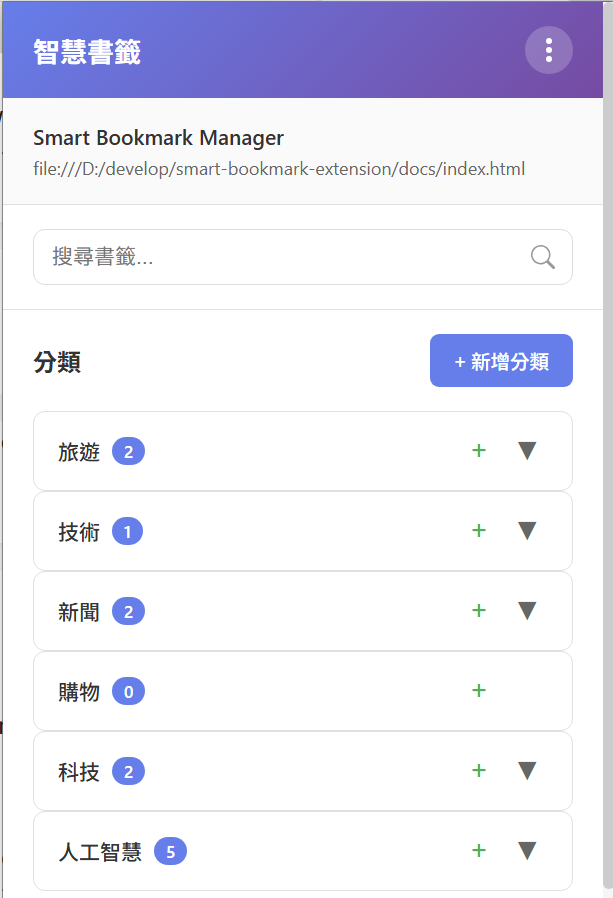
This repository contains a browser extension that automatically suggests categories for bookmarks and lets you manage them across popup and options pages.
Quick Start
- Clone the repository (or download the zip file).
- Load the extension in Chrome/Edge via Load unpacked and select the repository (folder) root.
- Open the popup and options to configure categories and sync settings.
Icons
If you want to use a custom icon, place it in assets/myicon.png and run the included PowerShell script create-icons.ps1 (Windows) or copy/resize the file to assets/icon-16.png, assets/icon-48.png, and assets/icon-128.png.
Features
Clever-marks: Smart Bookmark Manager helps you collect, organize and find bookmarks faster. Key features include:
- Automatic category suggestions using keyword-based heuristics and NLP helpers
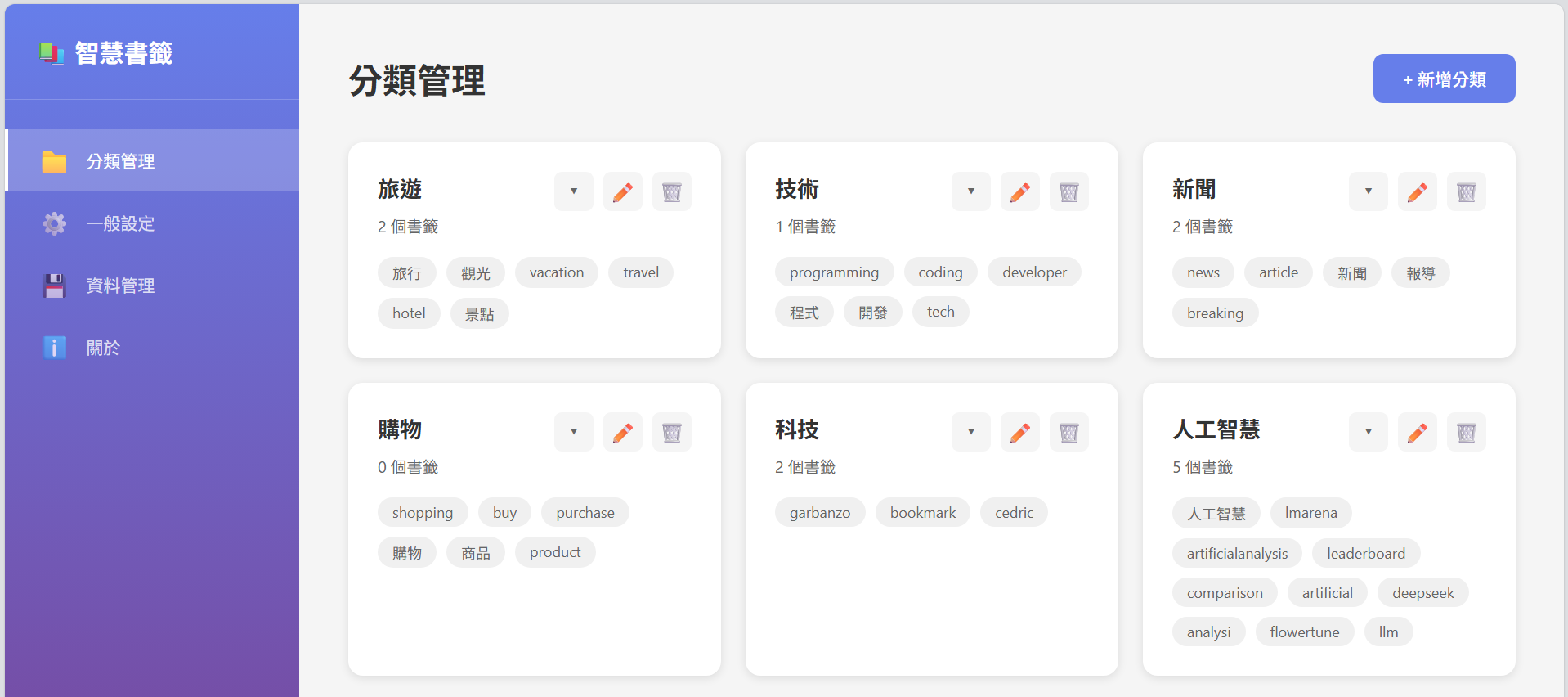
- Easy category management (create / edit / delete categories and keywords)
- Save bookmarks from the popup or from notifications; optional Google Drive sync
- Modal-based bookmark editing (supports editing title and assigning the bookmark to multiple categories)
- Canonical multi-tag storage model: a single bookmark object can belong to multiple categories (tags) to avoid duplication
- URL normalization: fragments (the part after '#') are stripped when saving/exporting to avoid duplicate entries for the same page
- Export / import JSON backups and GitHub Releases for distribution
- Export to native browser bookmarks: choose the categories you want and export to your browser
- Lightweight, privacy-first design — your bookmarks are stored locally unless you enable sync
Screenshots
Below are example screenshots. Replace these with real captures from your extension build.
Notes
- Privacy: the extension stores bookmarks locally and supports optional Google Drive sync.
- Contributions welcome—open an issue or PR on GitHub.